Products
Everything between your customer's phone and your wallet
Nine products and one platform they share. Each product works on its own, so start with the one you need.
Every product
From the page your customers pay on to the money you send out.
Online checkout
One secure page for MoMo, cards and every way to pay
Best for: Businesses whose customers should pay somewhere they recognise and trust.
- Your business name and logo on every payment
- MoMo on all three networks, and cards, on one page
- MoMo approved with the customer's own PIN, on their phone
- One API call from your website for each order
- Coming: GhQR, bank transfer, USSD, wallets like G-Money and Hubtel, and crypto
pay.xtopay.co
More on online checkoutPayment links
Your own xtopay.me link and QR code, no website needed
Best for: Anyone who needs to get paid today, not next sprint.
- Your own xtopay.me link, and links with a fixed price or any amount
- Ask what you need: a size, a date, an order number
- A QR code in your colour, with your logo, ready to print
- MTN MoMo, Telecel Cash, AT Money, Visa and Mastercard
- Insights: where your visitors come from, and who pays
xtopay.me/you
More on payment linksInvoicing
Send invoices that customers pay by MoMo or card
Best for: Freelancers, agencies and suppliers who bill for their work.
- Line items, a discount, and VAT, NHIL and GETFund in a tap
- Sent by email in your business's name, or shared as a link
- Reminders on the due date, and three days after
- Marked paid the moment it's paid, and ready to print
INV-0042 · xtopay.me/i/…
More on invoicingDirect charges
Charge MoMo from your system with a PIN prompt
Best for: Apps, call centres and businesses that already have their customer's number.
- A MoMo PIN prompt on MTN, Telecel or AT, from one API call
- Test keys that move no money, to build against
- A signed webhook the moment it's paid
- Your own reference on every charge, and no double charges on a retry
POST /v1/charges
More on direct chargesPayouts and transfers
Get paid out on your schedule, and send money to anyone
Best for: Every Xtopay business, and those that pay many people: riders, agents, suppliers.
- Daily, weekly or on-request payouts to your MoMo wallet or bank
- Transfers from your balance to any MoMo wallet or bank account: from the dashboard, a spreadsheet or the API
- Registered names checked before money moves
- Limits per transfer and per day, and big transfers wait for the owner
MoMo wallet · Bank
More on payouts and transfersSubscriptions
In development
Charge customers every week or month, automatically
Best for: Gyms, schools, clubs, software and anything paid on a schedule.
- Daily, weekly or monthly plans, with a start and an end date
- The customer agrees once, with a code on their phone
- Pause, resume or cancel a subscription
- A receipt and a webhook for every payment
GH₵50 · monthly
More on subscriptionsQR payments
Codes customers scan to pay, with GhQR on the way
Best for: Shops, markets, restaurants and anyone paid in person.
- A QR code in your colour, with your logo, ready to print
- A code for your own link, a fixed price or a page of products
- Scanned with any phone's camera: no app to install
- Coming: GhQR, scanned from any banking or MoMo app
Scan to pay
More on qr paymentsVirtual cards
In development
Cards from your balance for ads, software and suppliers
Best for: Businesses that pay for ads, software or suppliers online.
- Cards made in seconds, funded from your balance
- A spending limit on each card
- Freeze or close a card at any time
- Every purchase on record, with where it was spent
•••• 0042
More on virtual cardsPayment pages
Your own page for products, tickets or donations
Best for: Anyone with more than one thing on offer: food, events, causes.
- Products with pictures, prices and stock that counts down
- Event tickets, each with a QR code to check in at the door
- Donations with amounts to tap, any amount, and a goal
- Questions for your customers, answered before they pay
xtopay.me/you/tasting-night
More on payment pages
Where your customers pay
Whichever product you use, your customers see your name, pay by MoMo or card, and get a receipt. These are the real screens.
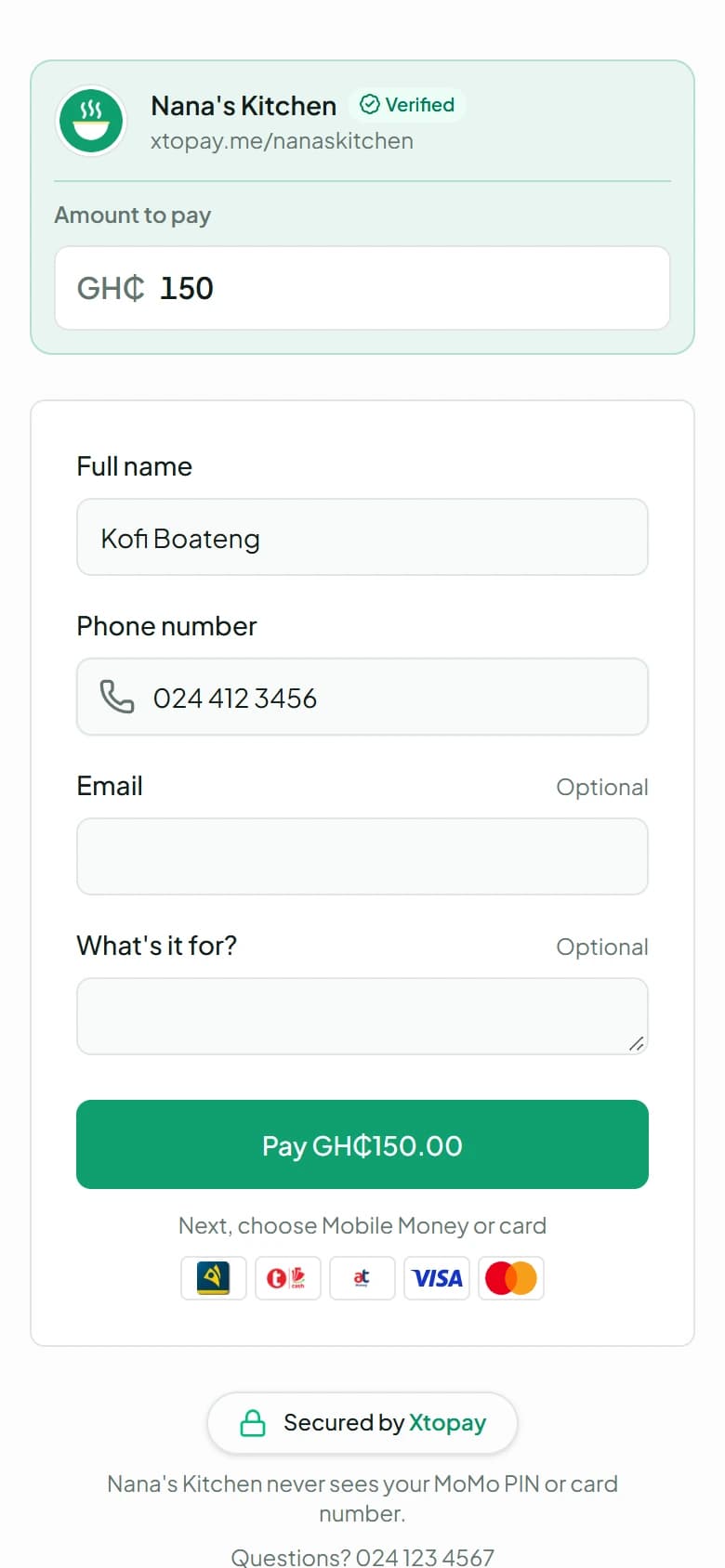
Your link
They open xtopay.me/you, enter the amount and who they are.
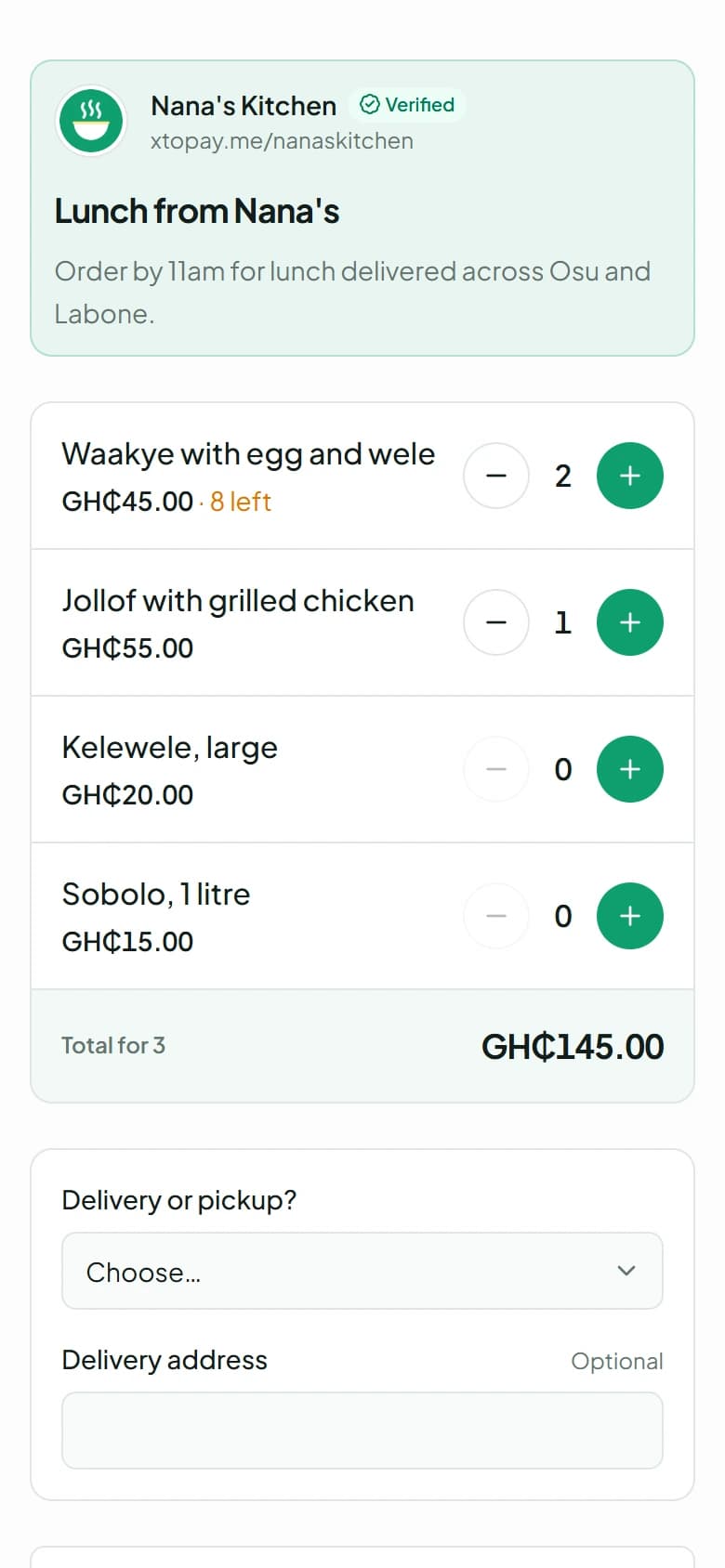
Or your page
Your menu, your tickets or your cause: they choose, and answer your questions.
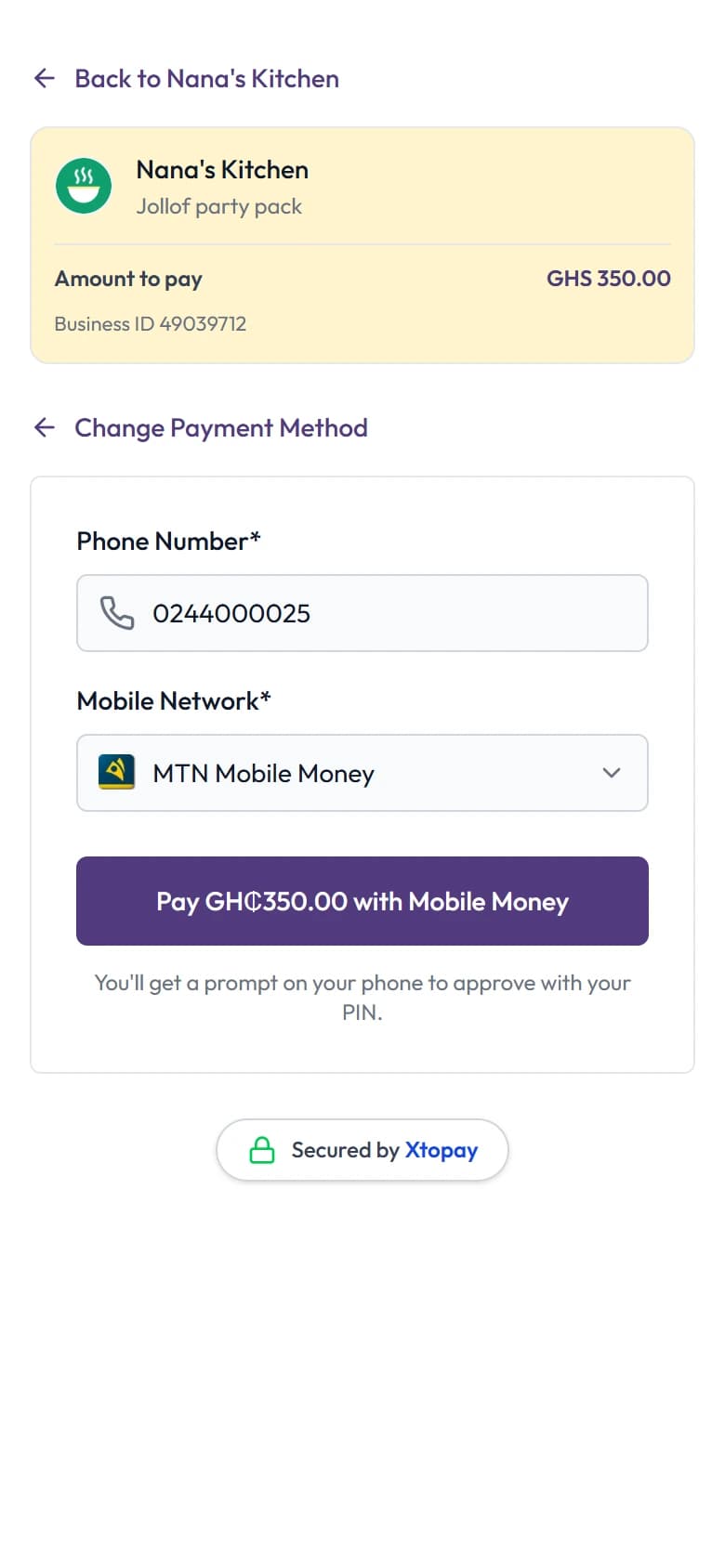
The checkout
MoMo or card. MoMo is approved with their own PIN, on their own phone.
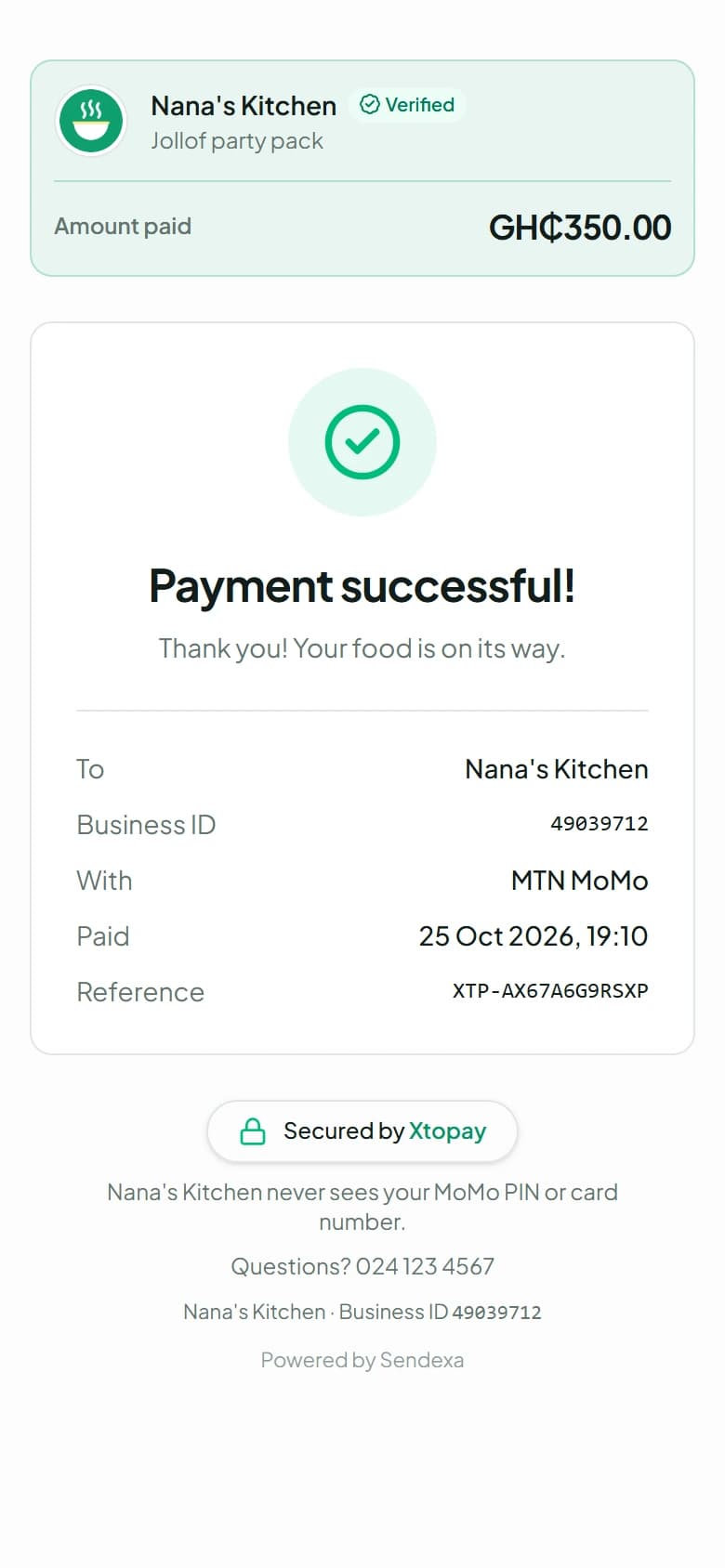
Paid
They see your thank-you. You see the payment, and the money joins your balance.
One platform
The dashboard, records, team and security every product comes with. You don't buy it; it arrives with your first product.
Every product, from your own code
The Xtopay API creates checkouts, charges MoMo, sends transfers, and manages your links, pages, invoices and customers, with signed webhooks for every change.